
How to Use the Categorization Flow
What is the Categorization Flow?
Transaction categorization should be simple. The Categorization Flow allows you to review transactions, apply categories, and move forward with confidence.
At a glance,
- Categorize multiple transactions at once
- Find transactions faster with search and sorting
- Choose from a clearer, grouped category menu
- Mark personal transactions without guesswork
How to use the Categorization Flow
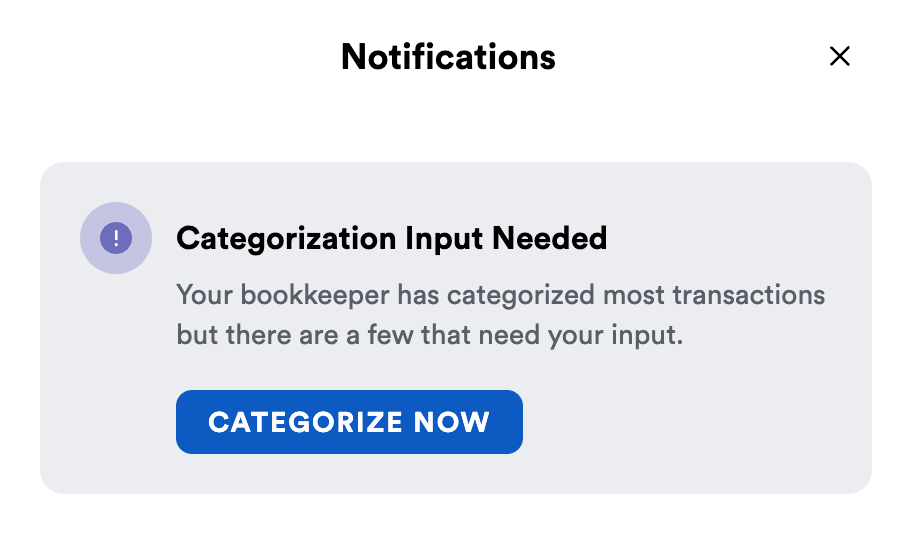
After your bookkeeper has completed an initial review and categorization of your transactions, you may receive a notification to categorize transactions that require your insight.

Click Categorize Now to be taken to the Categorization Flow.
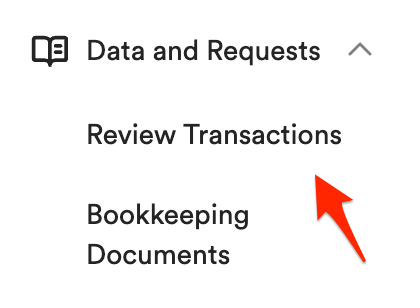
You can also view uncategorized transactions at any time by using the sidebar and navigating to Data Requests -> Review Transactions from the left sidebar.
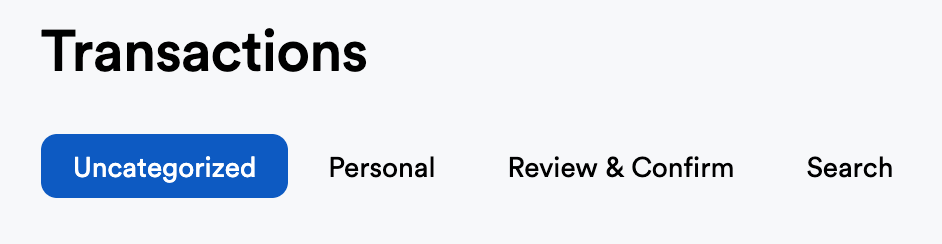
The Uncategorized tab will display transactions that are awaiting categorization.
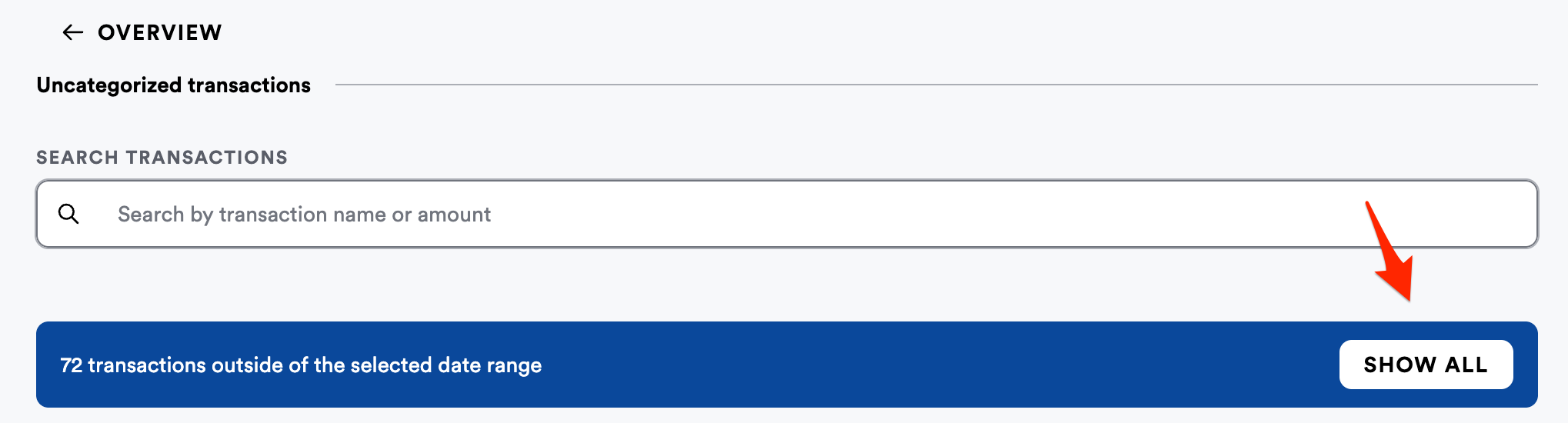
Use the date picker at the top right of the page to select a certain date range.

You can also select the Show All button to view all uncategorized transactions.
Select a transaction (or multiple) using the checkbox to the left of a transaction.
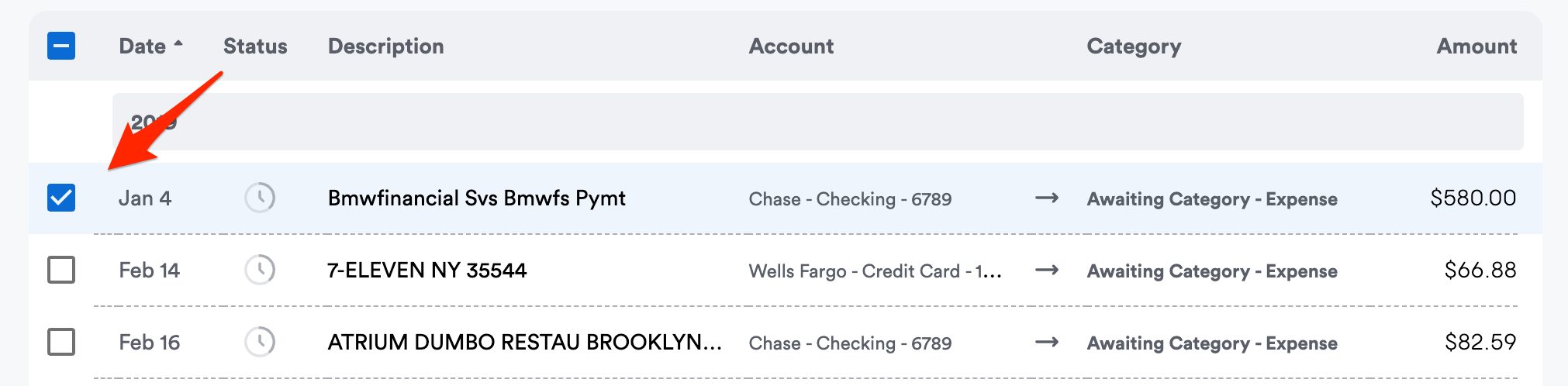
Note: Use the search bar to find similar transactions and efficiently categorize together. You can also sort columns by date, description, or amount.
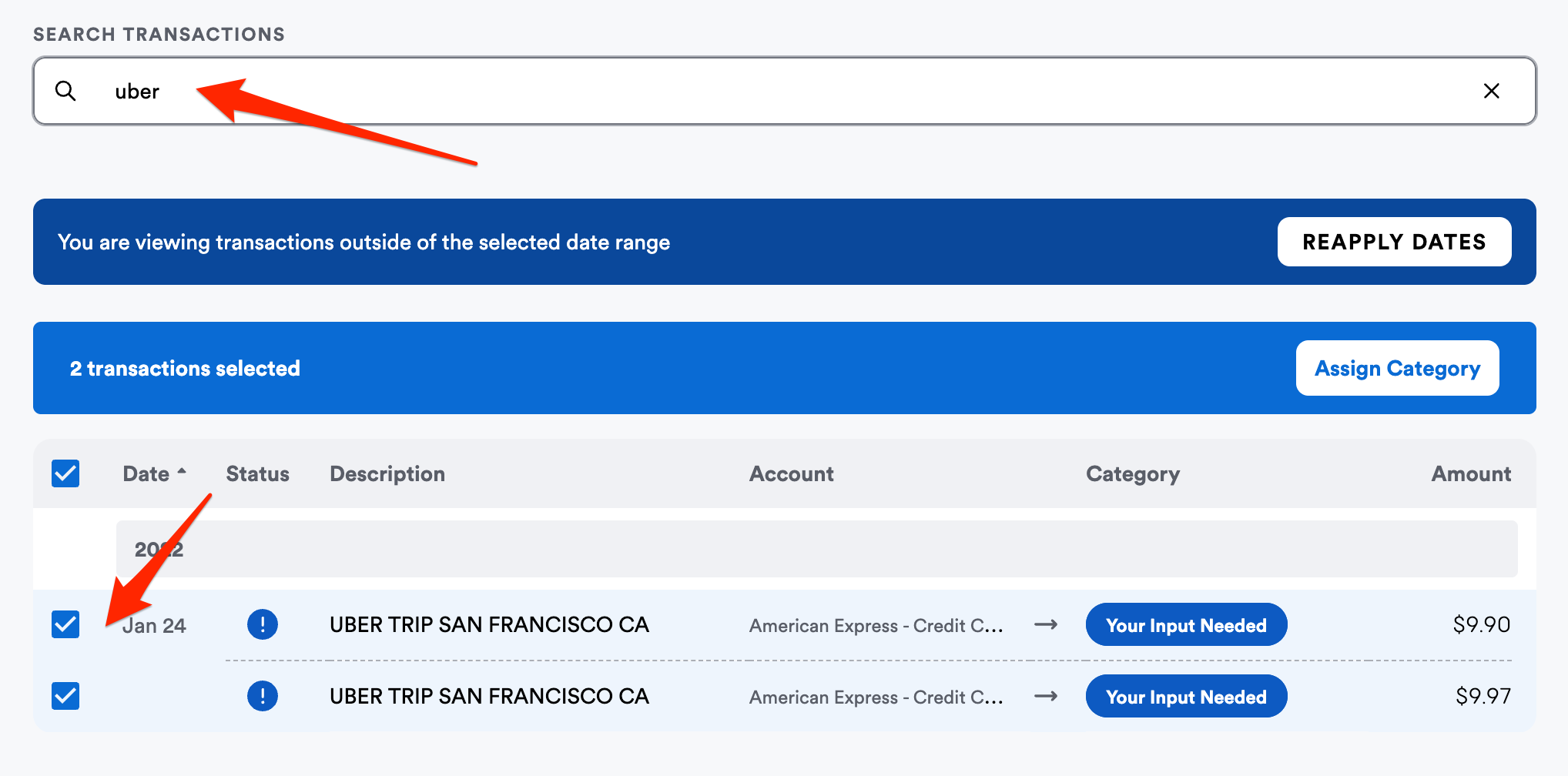
Once you have selected the transaction(s) you wish to categorize, click the Assign Category button.
This will open the Categorization Flow sidebar.
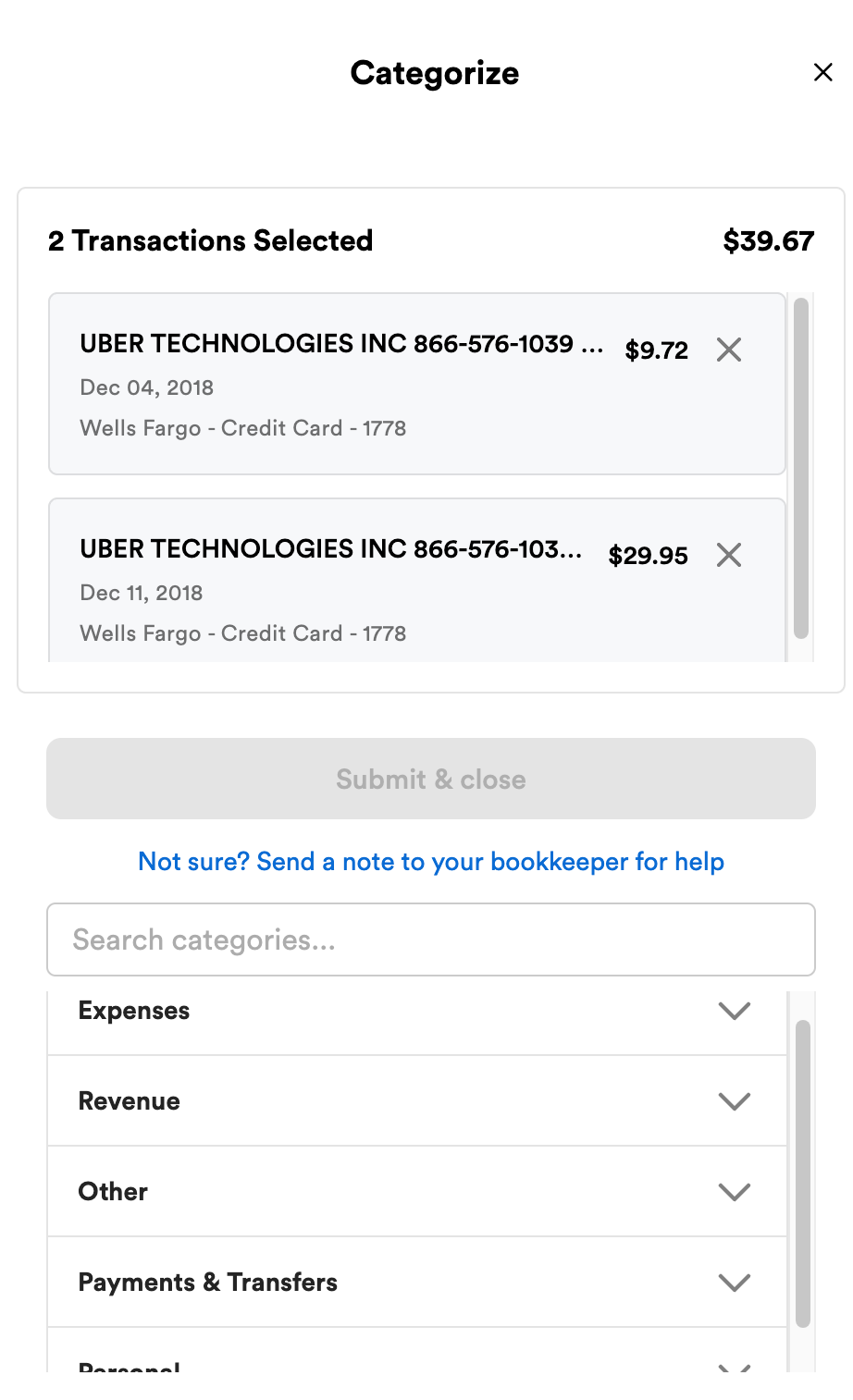
At the bottom of the sidebar, click Expenses, Revenue, Other, Payments & Transfers, or Personal to browse various categories and category groups.
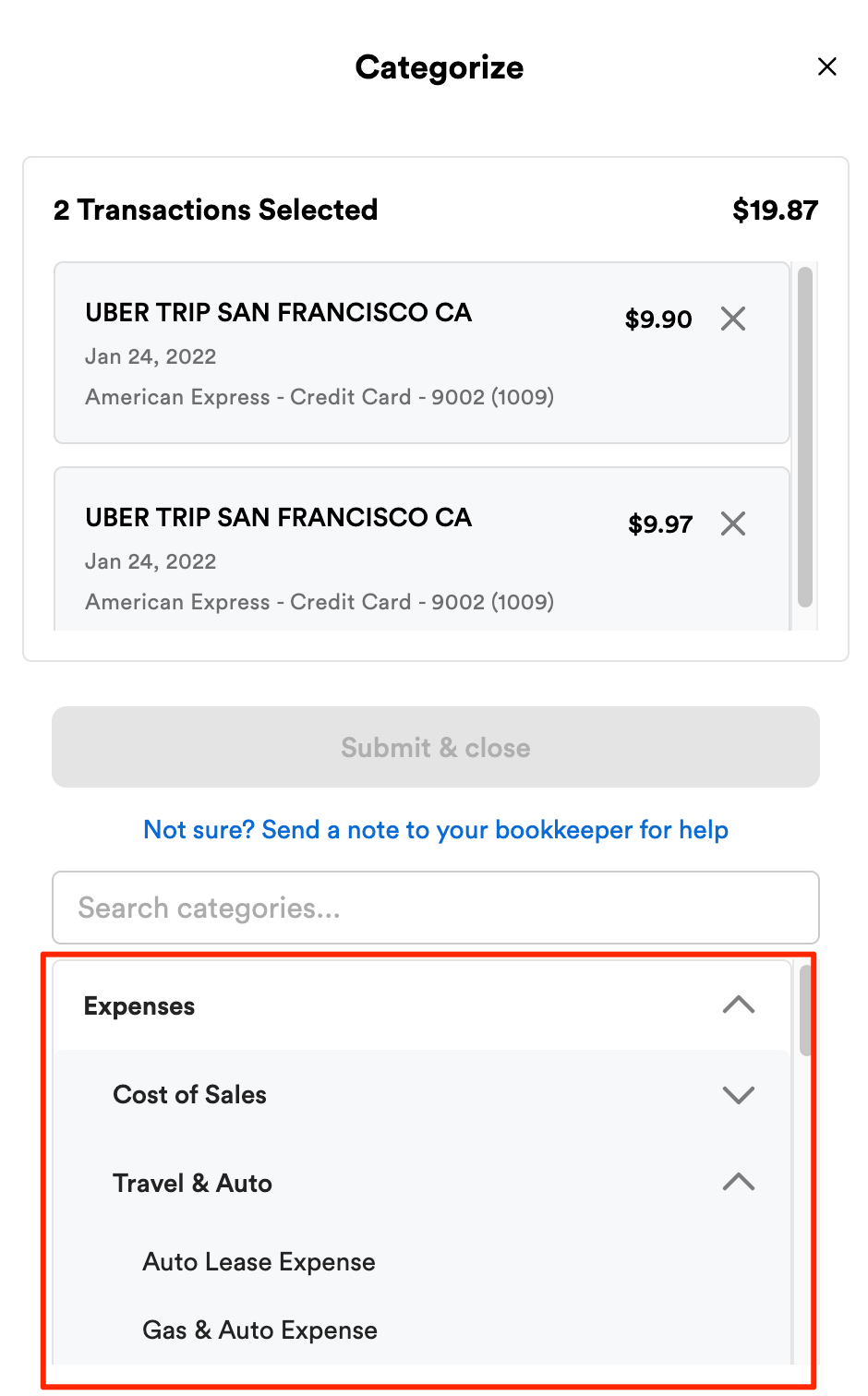
You can also search categories or category groups using the search bar.
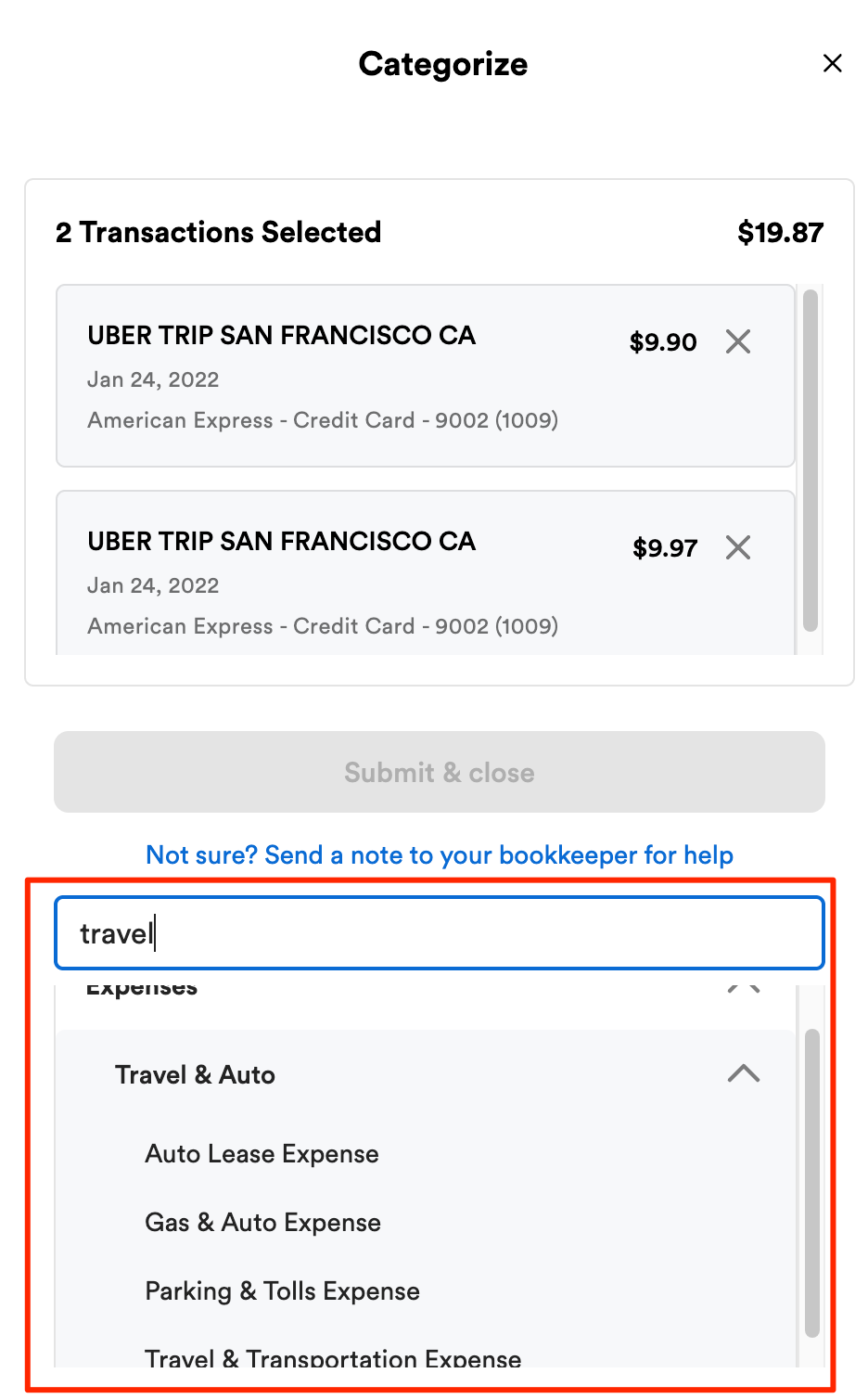
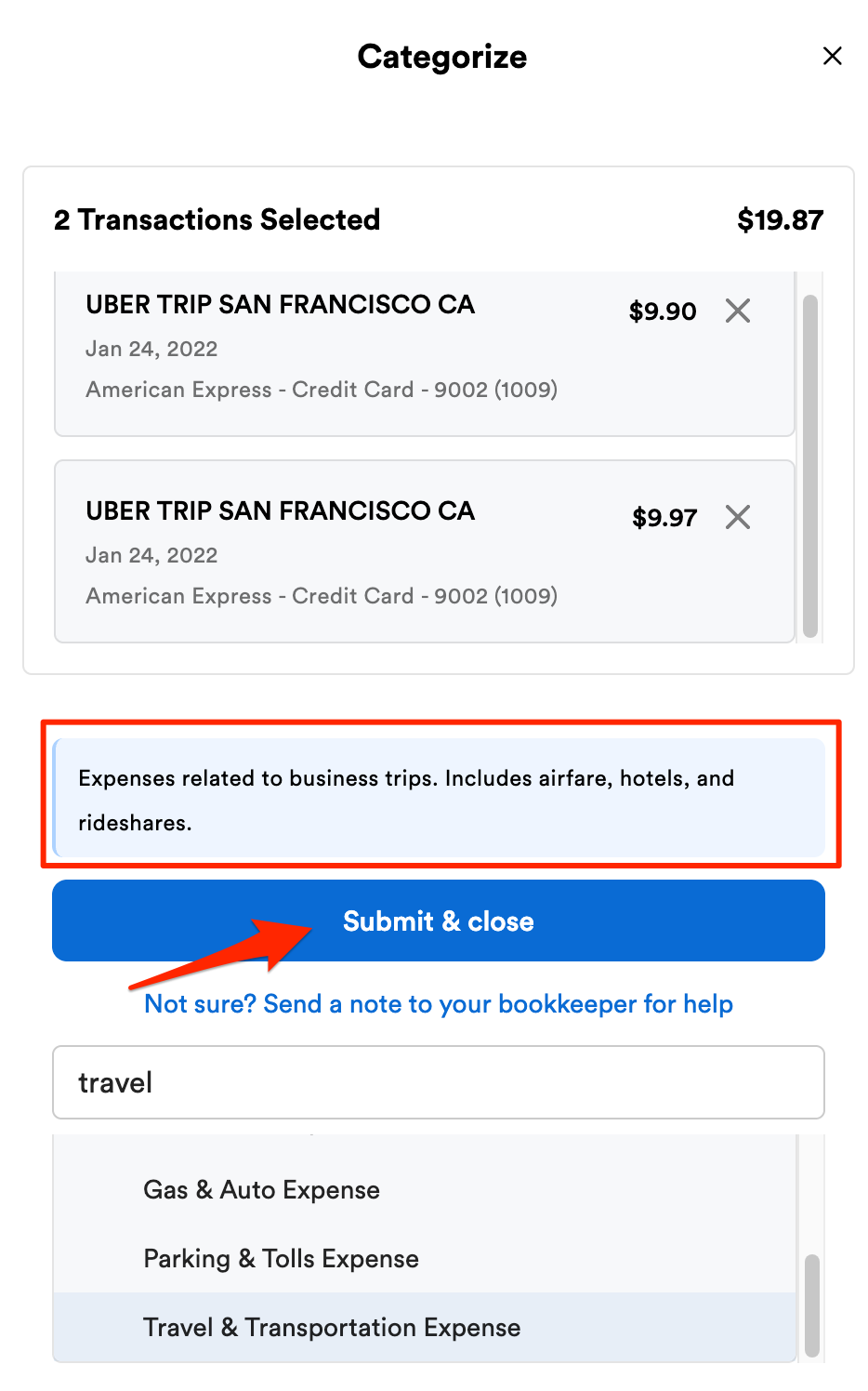
Selecting a category will provide a brief description of the ledger and the option to complete the categorization by clicking Submit & close.
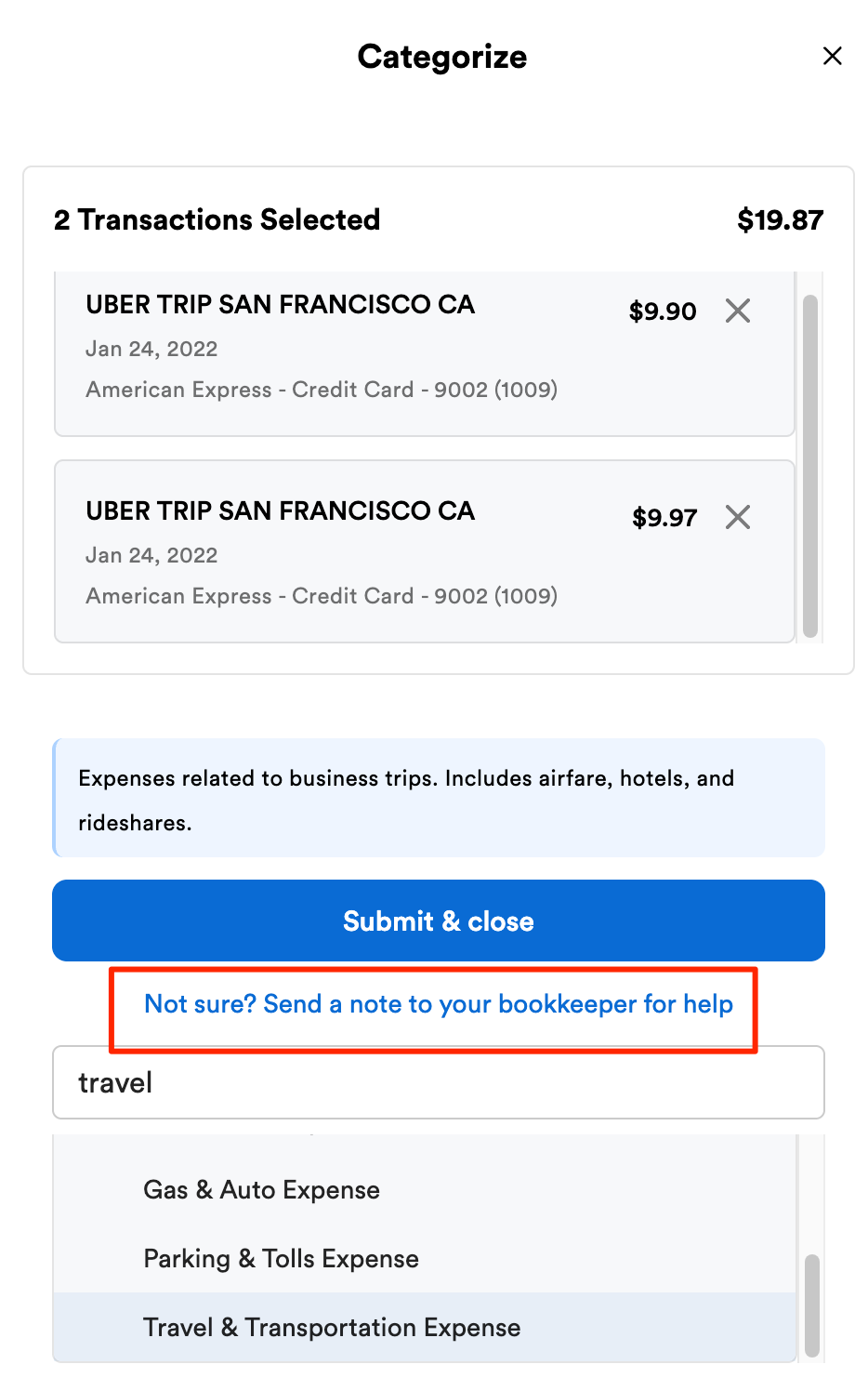
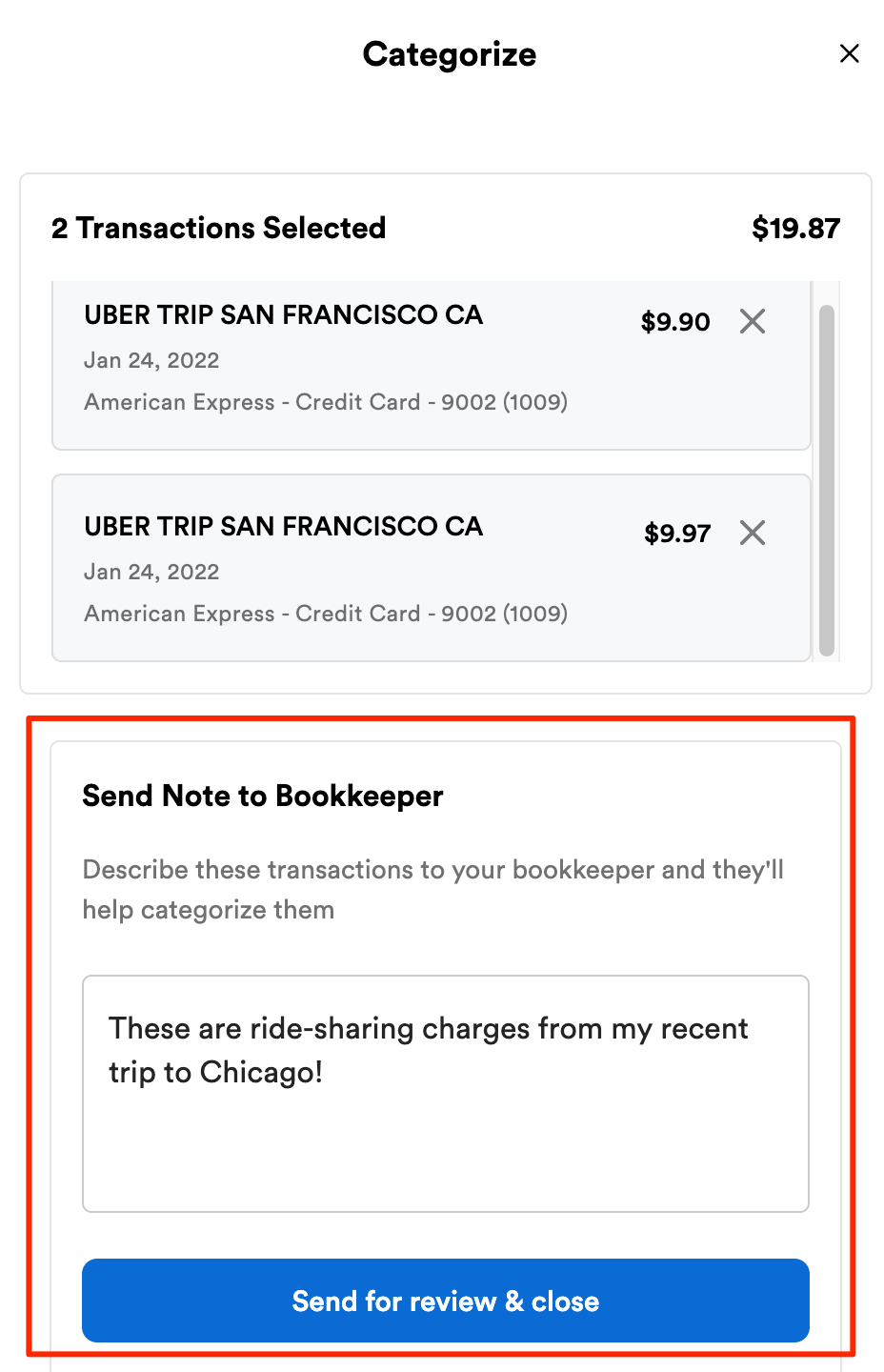
If you are unable to find an applicable category, you can submit a note for your bookkeeper to complete the categorization.
Provide as much context about the transaction as you can to help your bookkeeper complete the categorization accurately.
How do I categorize credit card payments, transfers, or personal transactions?
Some transactions aren't expenses or income. They're personal purchases or money moving between business accounts. We've made both easier to handle.
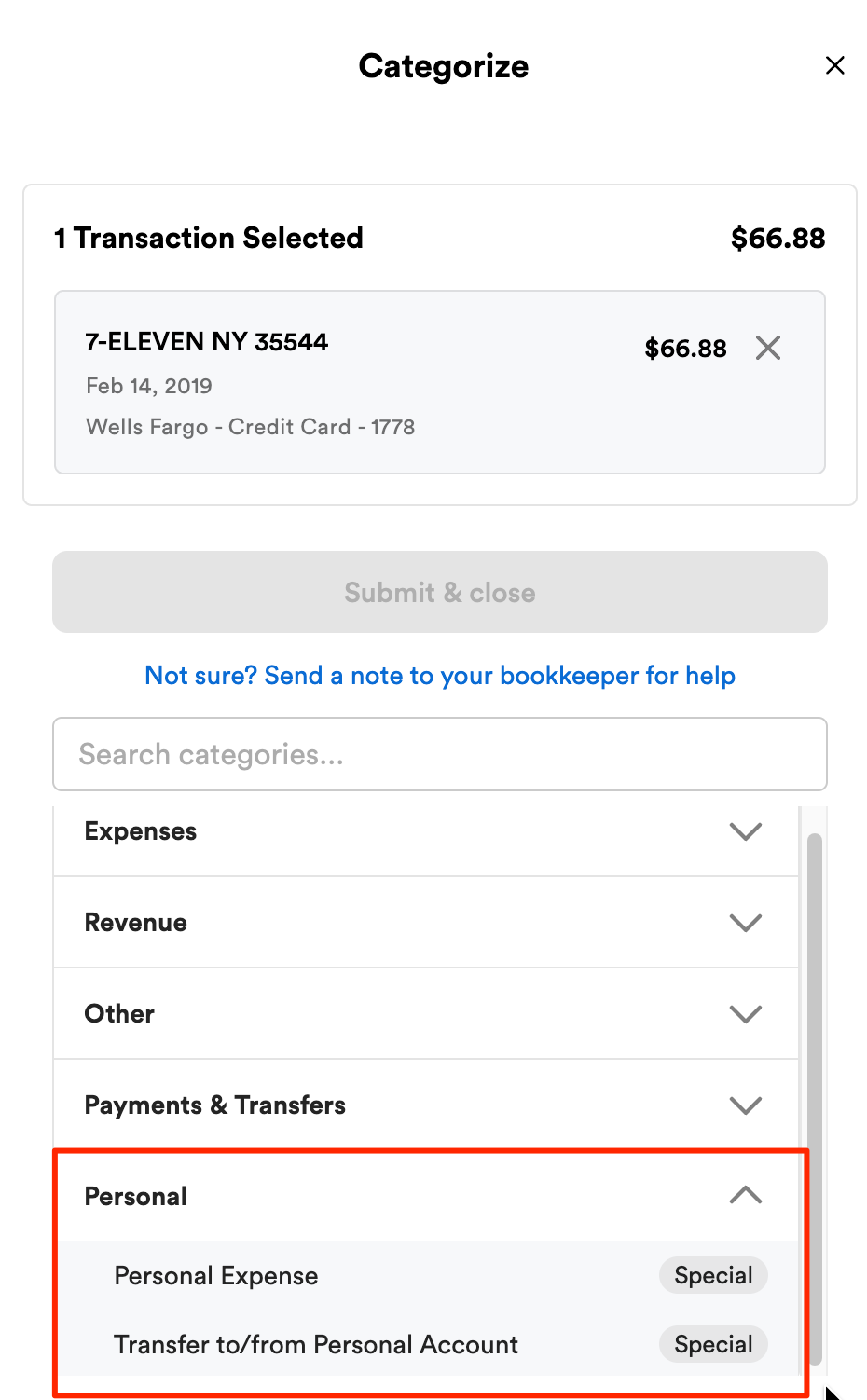
Mark personal transactions directly.
In the categorization flow, select Personal, and the type of personal activity.
Select the relevant owner or partner.
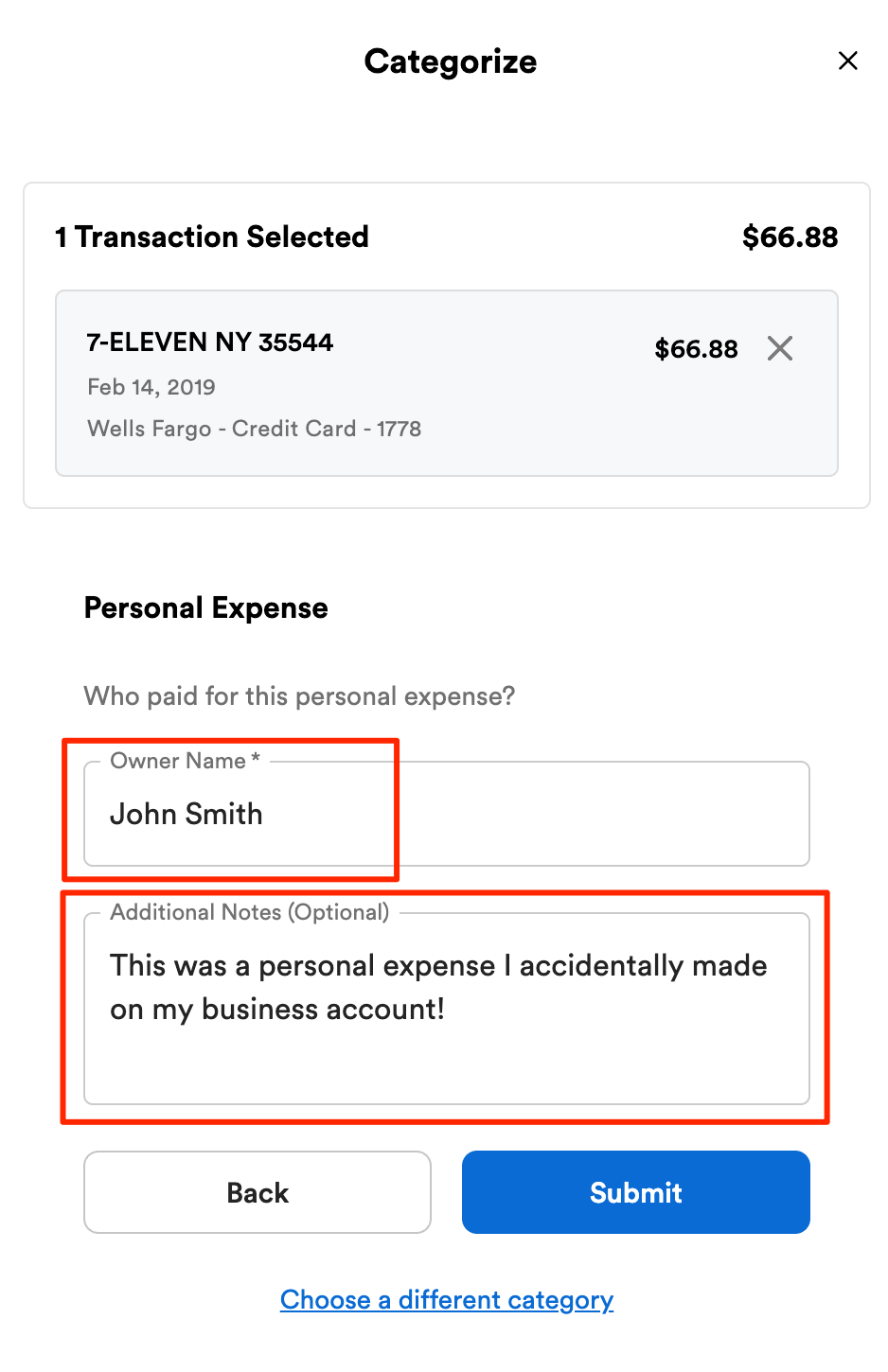
Your bookkeeper will take care of the accounting details.
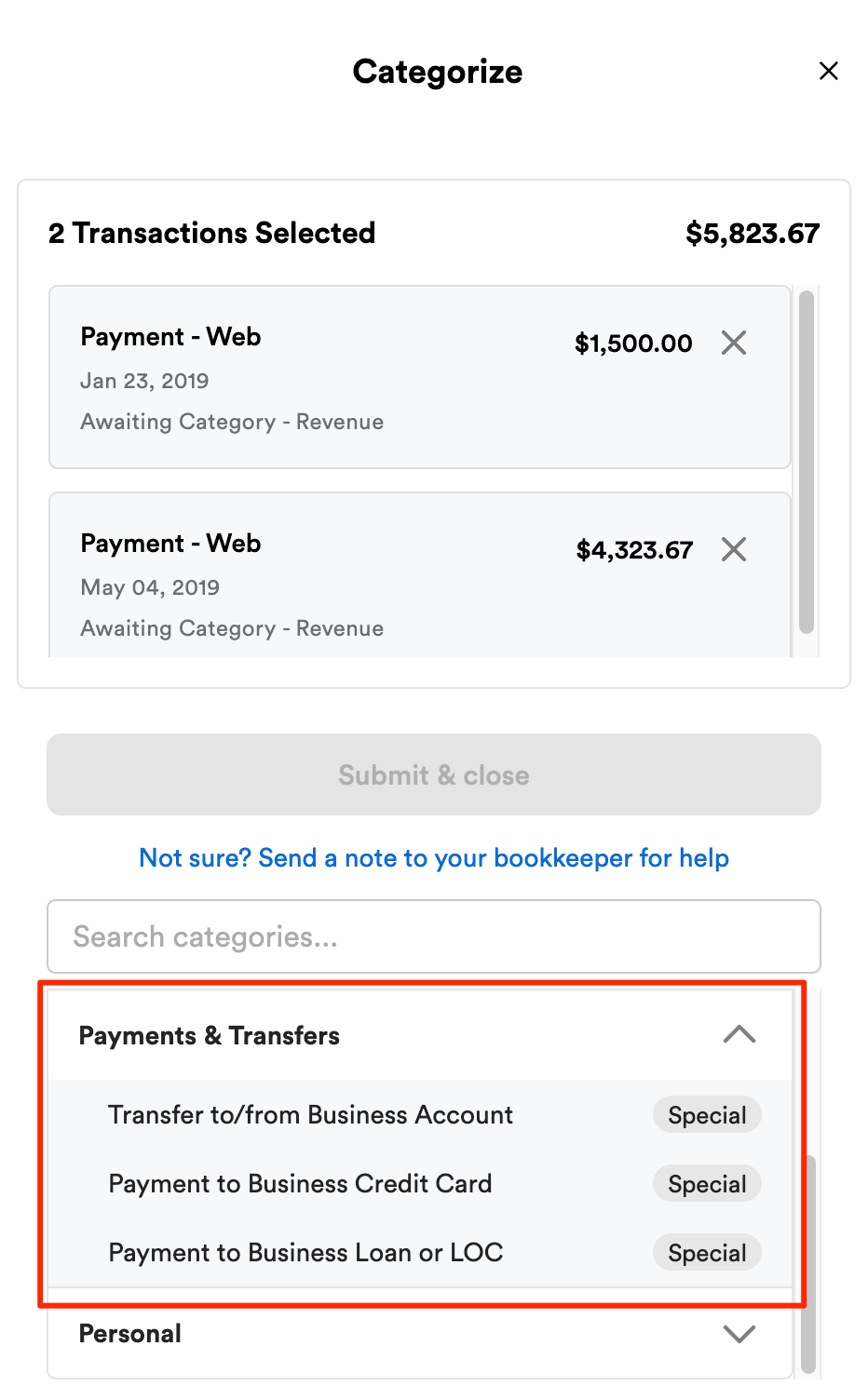
Add context to transfers between accounts
In the categorization flow, select Payments & Transfers.
When categorizing a transfer, you'll be prompted to provide details on the destination account.
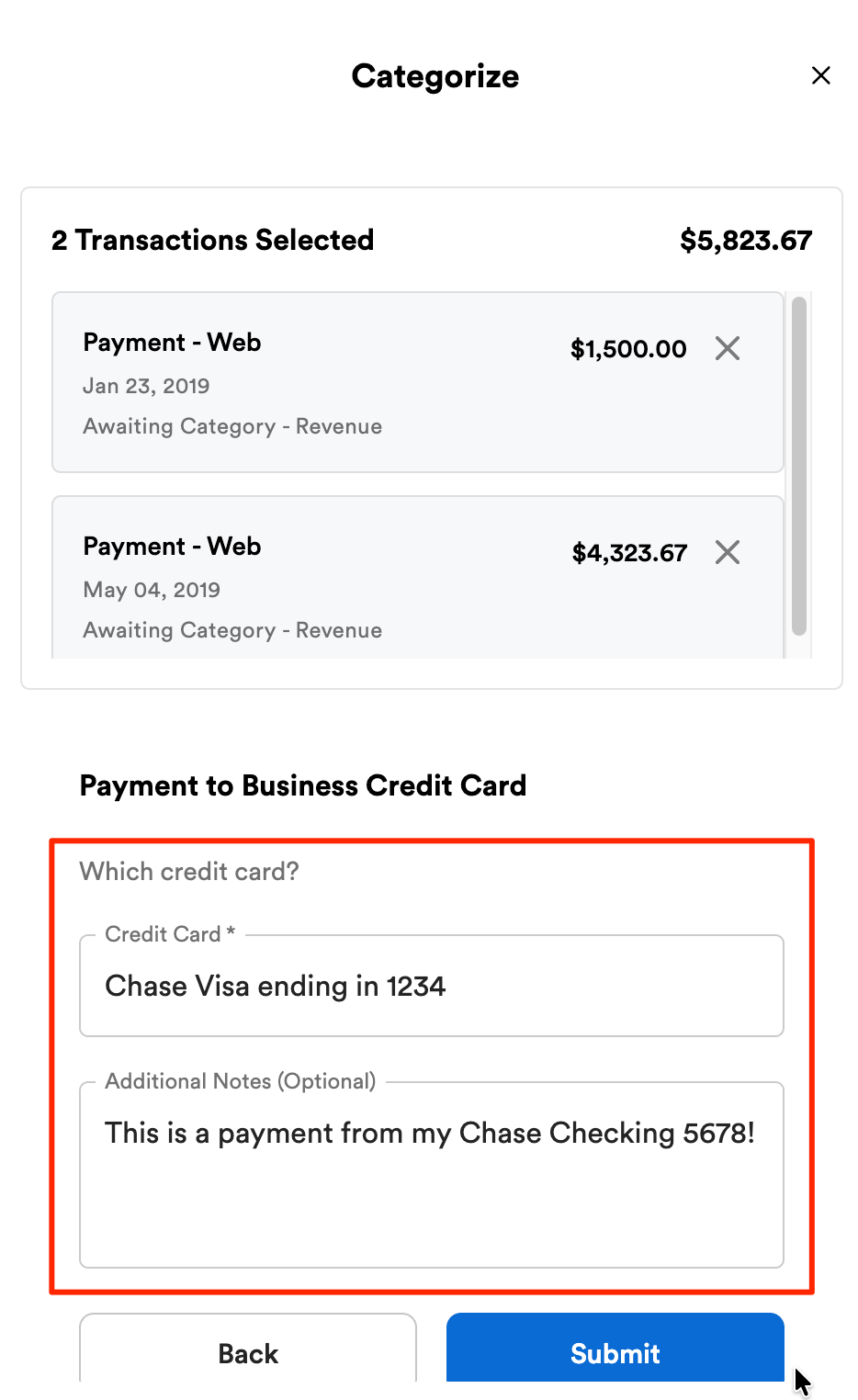
Your bookkeeper will take care of the accounting details.
Why does my bookkeeper need my help categorizing transactions?
Bench will always categorize the vast majority of your transactions in a given month. It’s normal that there may be a few remaining transactions that we can’t categorize on our own without your help. The categorizations or additional context you provide allow us to validate the accuracy of its category to ensure your books are done right and fully compliant. Here are a few examples of why we might need your help categorizing transactions:
- Additional context is needed on business activities: As the owner or manager of the business, you have a deeper understanding of the nature of your business transactions. Some transactions might be unique or complex, and your confirmation can ensure they are categorized accurately.
- Unclear descriptions: Sometimes, transaction descriptions might be vague or unclear. Your familiarity with the business operations is needed to complete categorization.
- Changes in business operations: If there have been recent changes in your business activities, products, or services, you are the best source of information to ensure transactions continue to be categorized accurately.
- Exceptions or unusual transactions: Certain transactions might not fit neatly into specific categories. Your input can be invaluable in deciding the best category for these transactions.
- Special cases: There could be specific transactions that have unique tax implications or require different treatment. Your guidance can ensure that these transactions are correctly categorized according to the most appropriate legal and financial requirements.
Does my bookkeeper review transactions I’ve categorized?
Your bookkeeping team provides an extra layer of accuracy by conducting regular reviews of your books, including categorized transactions. This ensures everything is in line with accounting standards and best practices to ensure precision and maximize your deductions.
What do I do if I’m having technical issues with the Categorization Flow?
If you’re experiencing any technical issues with the Categorization Flow, you can share that with us here and our teams will investigate the issue.
FAQs
Will I see changes immediately after categorizing transactions?
In most cases, yes. Once categorized, transactions move to the ledger and no longer appear in the awaiting category list.
The exception is personal transactions, which remain in the awaiting category view until your bookkeeper reviews them and assigns them to the correct equity ledger.
Can I undo or change a category after applying it?
In most cases, yes. You can find the transaction in Transaction Search and update the category directly.
Some transactions, particularly those categorized to the balance sheet, require bookkeeper review due to accounting implications. If you’re unsure, you can also leave a comment and your bookkeeper will take care of it.
I can’t find a category I used to use. Why is it no longer available?
Some categories have been removed from the client-facing menu because they’re intended for internal bookkeeping use only due to accounting implications.
If you believe a category should still be available, reach out to your bookkeeper. They can confirm whether it’s appropriate and make it accessible if needed.
When should I use multi-select versus individual categorization?
Multi-select works best when several transactions clearly belong to the same category. If a transaction needs specific context or explanation, categorizing it individually and leaving a comment is often better.
Can I leave a comment on multiple transactions at once?
Yes. Using multi-select, you can apply a single comment to multiple transactions in one step.
The list of business owners or partners looks incorrect or outdated. Why?
The names shown are pulled from historical equity data. If someone was ever listed in an equity ledger, their name may still appear even if they’re no longer a partner. You can ignore outdated names and select the option that applies to your current situation.
Will these changes affect how my taxes are prepared?
No. These updates only improve how transactions are reviewed and organized. Your bookkeeper still ensures everything is categorized correctly for reporting and tax purposes.