
Access Bench from Your Phone's Home Screen
Access Bench from Your Phone's Home Screen
If you previously used the Bench app: Our native iPhone app has been discontinued and is no longer available in the App Store. The good news is our website is built for mobile, and you can add it to your home screen for the same quick-access experience.
iPhone (Chrome)
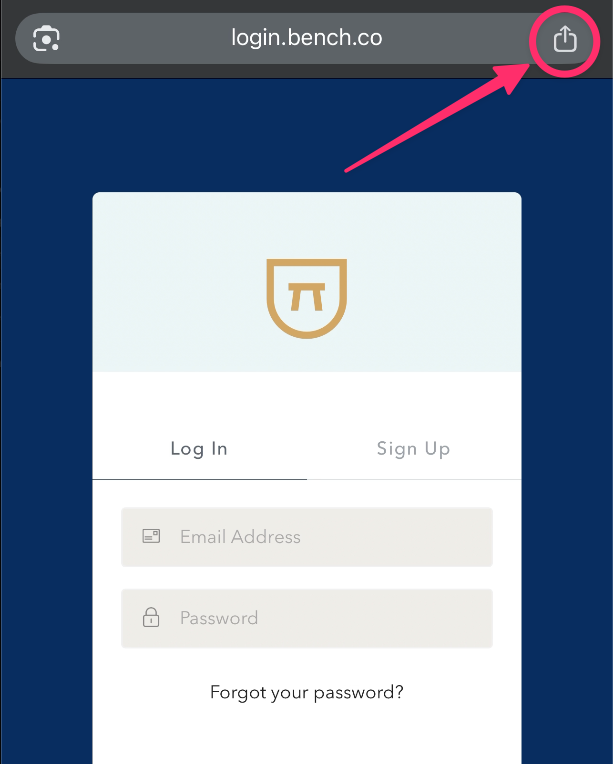
- Open Chrome and go to your Bench login page
- Tap the Share button (the square with an arrow pointing up)
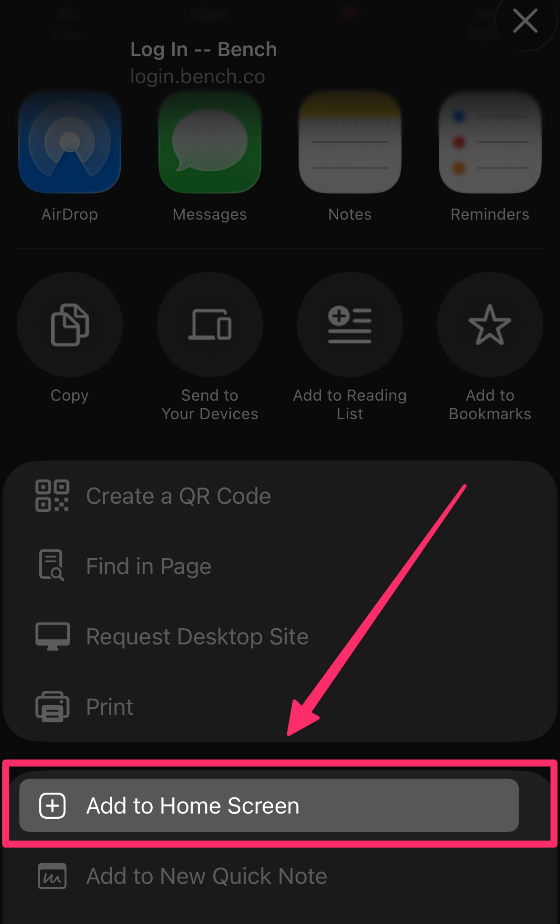
- Tap Add to Home Screen
- Edit the name if you'd like, then tap Add
Android (Chrome)
- Open Chrome and go to your Bench login page
- Tap the three-dot menu (⋮) in the top-right corner
- Tap Add to Home Screen (or Install app if prompted)
- Edit the name if you'd like, then tap Add
The Bench icon will now appear on your home screen.
-
Want a mobile app? Tell us — your feedback shapes what we build.